Mini-Mix 002

Further evidence as to how addicted I am to Ableton Live – I put together a short (~35 min) mix of some electronic tracks I have been listening to the past few days. This mix was put together pretty quickly, so the style may be noticeably different than my APU mixes.

Anyway, here’s the MP3: Mini-Mix 002 (08.30.2007).mp3

Function Hijacking via Export Directory

I have been working on a contract that has necessitated the use of function hooking. Basically, I need to intercept an arbitrary program’s usage of a system dll library in order to interject my own logic, and interact with the objects produced by that binary.

There is a nice tool created by Microsoft Research, called Detours. This is basically an API which helps you to perform binary function interception and instrumentation. This API is fairly robust and well thought out, and I use it in this project. However, there is certainly a fair amount of missing functionality.

While testing my application against a popular product that uses the “unicows” library, I stumbled across a very interesting situation during which the Detours method of function interception will not apply.

Basically, unicows has it’s own custom version of GetProcAddress build in. This custom code crawls through the in memory PE header and obtains function offsets by hand. This means that, for dynamically loaded function addresses, using the Detours functionality I am unable to intercept functions loaded at run-time.

So, in order to properly intercept these functions, it was necessary to create an additional API from within Detours. This function needs to crawl through the PE header, and replace the Export Directory entry for a given API with the virtual address of the function you wish to be called, instead. The function will also return the original virtual address, so that you can call that function within your intercepted version.

The new code is here: DetourReplaceExport.txt

So, now I have a working solution for hijacking an API which is linked dynamically using a non-standard GetProcAddress. Yays!

Painless Debug Console

I have had the pleasure of writing a pretty large number of apps for Windows. There are a few things that I have learned, over time, that have really helped to improve my productivity. One of those things is a basic debug console.

Typically, a debug console is handy – go figure – while you’re debugging. Once you have a release quality build, you won’t want the debug console hanging around anymore.

This is one of those snippets of code that, while brutally simple, is rather non-obvious and most people don’t know of.

#ifdef MYAPP_DEBUG_TRACE
if(AllocConsole())
{
    freopen("CONOUT$", "wt", stdout);

    SetConsoleTitle(L"MyApp : Debug Console");

    SetConsoleTextAttribute(GetStdHandle(STD_OUTPUT_HANDLE), FOREGROUND_GREEN | FOREGROUND_BLUE | FOREGROUND_RED);

    printf("n");
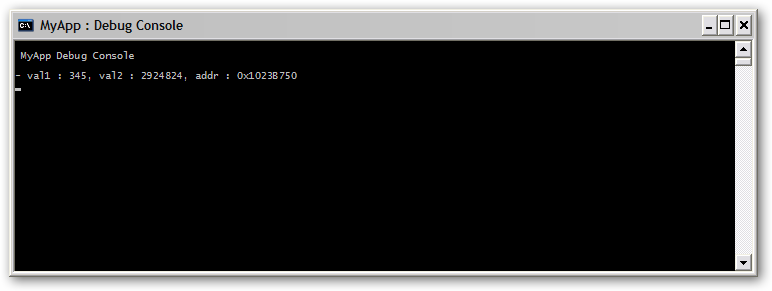
    printf(" MyApp Debug Consolen");
    printf("n");
}
#endif

Basically this code, if debug trace preprocessor is set (add MYAPP_DEBUG_TRACE to your preprocessor settings), will allocate a nice little debug console window, change the title, set the font colors, and redirect standard output to the console.

This snippet of code can be added to any Win32 application, and gives you the instant capability to spit out oodles of delicious debugging data. Typically, I combine this method with something along these lines:

#ifdef __cplusplus
inline void null_func(char *format, ...) { }
#define DbgEmpty null_func
#else
#define DbgEmpty { }
#endif
/* Debug Trace Enabled */
#ifdef  MYAPP_DEBUG_TRACE
#include
#define DbgPrintf printf
#else
/* Debug Trace Disabled */
#define DbgPrintf DbgEmpty
#endif

Now, you can use the function “DbgPrintf” just as if it was “printf” – and it will compile away to nothing in a release mode build!

Bacon McFlurry

McDonalds officially unveiled yet another new flavor of McFlurry this weekend. The latest addition to the McDonalds menu combines the popular McFlurry dessert with the salted and smoked meat from the back and sides of a pig.

Executive Vice President Claire Babrowski says “We were just looking for something new. We wanted to combine dessert and breakfast, and I think we accomplished that.”

mcflurry

Bunnie is MonGyver

Just got back from some travel with bunnie, adrian and hb+pana. To chronicle our goofy adventures, adrian put together a DivX video. The video is called “Mongyver” (spoofing Macgyver, the best TV show ever created), and bunnie is the main character.

We came up with the idea when bunnie started fixing a broken sound card on my laptop using a lighter and aluminum foil. Bunnie is the Mongolian Macgyver 🙂

I do all my own stunts! (see the lawn chair scene).

stunt

You can watch the video online, or download it (right click, Save As).

Ibiza

Caustik is currently away in Ibiza.

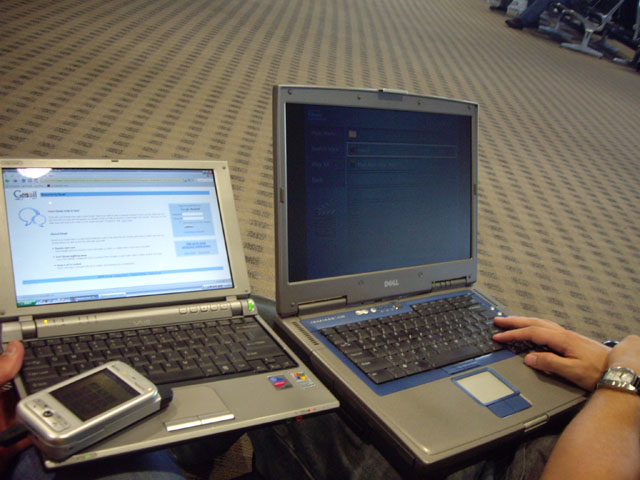
We did an interesting experiment at the airport. We hooked Adrian’s EVDO cell phone up to his laptop, setup an ad-hoc network using WPA encryption, linked over a hamachi network to a remote PC, and performed some multimedia data transfer tests.

That’s really geeky.

Windows Genuine Advantage hacking

Windows has a great new feature which helps notify you when you may have inadvertently pirated your copy of the operating system. This feature is really handy, because sometimes people will slip and fall and accidentally steal a copy of Microsoft Windows.

Windows Genuine Advantage will detect this situation and provide you with valueable feedback so that you may address the issue by going out and buying a new copy of the operating system and reinstalling.

Here is a screenshot of WGA in action:
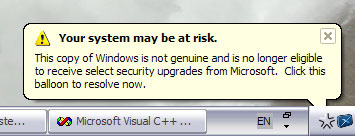
Now, I greatly appreciate this information. I for one would immediately take corrective action if my copy of Windows was actually pirated.

Fortunately, sometimes your situation is a little different. Maybe an innocent user has, one way or another, lost possession of their original product key. Tornado, earthquake, fire, air raid, black holes and ninja stars are some possible ways this could occur.

What do you do in this situation? Now, it seems rather silly to go buy another product key – just because you lost yours. It’s a simple misunderstanding.

Luckily, Microsoft was polite and left the binaries for WGA lightly protected. This means you can easily go in and inform WGA that you have, in fact, purchased your copy of Windows.

There are programs out there to make this modification for you. I took a slightly different approach, however, and decided that I would like to keep the warning message bubbles. I just wished to slightly modify the contents of those messages.

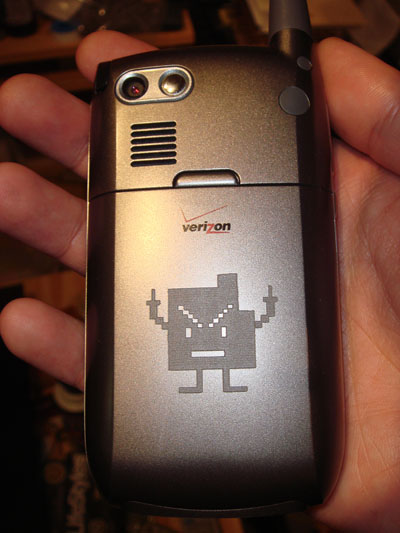
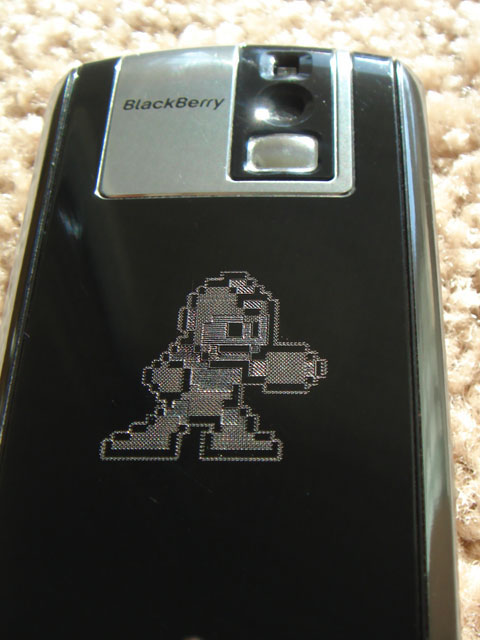
Now, whenever I come back to my computer – and sometimes just at random moments – WGA gives me a few words of appreciation. What used to be a depressing accusation of guilt, is now replaced with a friendly greeting! How nice.

The change is simple. Just pop open the WGA app in your favorite hex editor or resource editor, and search for the original messages. Replace with a message of your choice, and voila – your own personal motivational notification program.

c:WINDOWSsystem32WgaTray.exe

Next, just open up task manager and kill the process “WgaTray.exe”. Don’t worry, it is such a user-friendly program that it will automatically restart itself!
DOS “debug” fun

Sometimes you get the urge to do some programming, but you don’t have access to a compiler. Luckily, virtually every Windows PC in the world has a utility called “debug” installed. This little program lets you input 16-bit x86 assembly language, and allows you to write it out to create a .com file. This file can then be executed inside of a DOS shell.

The following is an example of something simple but cool you can do with this program. I will be using some basic DOS interrupts in order to do console input and output. (Lookup ‘DOS interrupt 21h’ on google to find out more).

I’ll highlight everything i’m typing in green so you can try this at home. You won’t need to type the optional comments (anything after the semicolon is ignored), and they get lost when you write the file anyway.

C:>debug kthx.com

-a 100
1476:0100 mov cl, d7 ; default cl to character 'd7'
1476:0102 mov ah, 6  ; ah:6 is console input/output
1476:0104 mov dl, ff ; dl:ff specifies input
1476:0106 int 21     ; interrupt 21 call
1476:0108 jz 10c     ; skip next instruction if failure
1476:010A mov cl, al ; save result of console input
1476:010C mov dl, cl ; load current character as output
1476:010E int 21     ; interrupt 21 call
1476:0110 jmp 102    ; loop forever!
1476:0112
-r cx
CX 0012
:12
-w
Writing 00012 bytes
-q
C:>

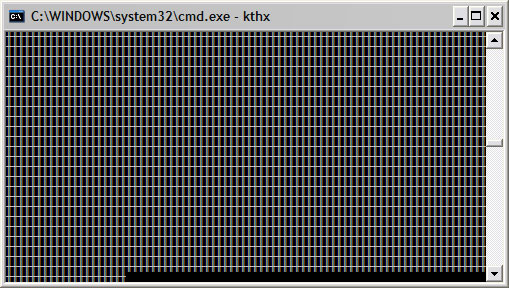
Now, when you execute “kthx.com”, you will see the screen swamped with the funky ‘d7’ ASCII character.

Whenever you type a character, the screen with update to display that character. Try alternating between visible characters and not visible characters (like space). For more fun, try to as quickly as possible type “|/-|/-” (animates like a little progress bar).

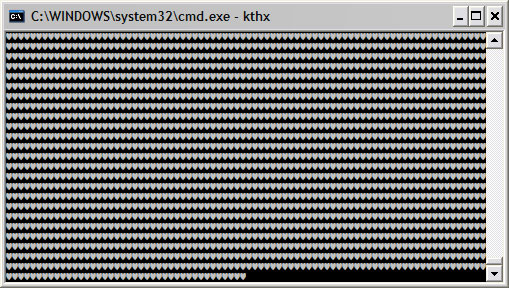
Note that you cant really exit the program. Pressing ctrl+c will actually just display a little heart character. It would be easy to modify the code to accept a character (like escape or control+c) to exit, but i’ll leave that up to you :].

This is just one basic thing you can make a .com file do. For a cooler example, check out neetro. Neetro is a little bit more complex than the program above, so it would have been a pain to write using “debug”. The source is instead compiled using nasm.